This is very late - finally coming up for air!
4 weeks ago, the superintendent called in the Tech team and asked us if we could pull off some sort of distance learning K-12 we said YES and he said GO. In a little over a week - with administrators and teachers on board we crafted a plan. schedule etc below On Monday 3/9 (In case) we did staff development (more details here). We spent the weekend crafting a plan for the high school and after coming up for air, I only share this in case other schools might find this useful. and on Monday 3/16 teachers were meeting and then packing their stuff to go home.
We are so fortunate to be in a state that values technology (Angus King 2001) and a district that continues to support technology K-12 We have a 4 year cycle for our equipment in Grades 7 -12 and after that they go to spares and 5th and 6th graders. iPads 1-1 in grades 1 -4 that don't go home and KG has class sets. The 1 - 4's are going to be deployed this week and the KG's are
Grades 7 -12 already take home
Grades 5 and 6 use the computers that were in the previous cycle but they didn't take home. The middle school deployed all of those devices, alerted parents and
Our main goal was to keep it simple for staff and students. Our high school is built on relationships and we wanted to make that our priority. We also understood that teachers were going to have to scramble to take remake their classes online, something most of them had never done. And the students also needed support - while they may be tech savvy, this online style doesn't work for every learner.
Staff Prep:
At our staff meeting on 3/9, I introduced the eLearning Overview and the Online Teaching Resources. The three tools that everyone will use are Gmail, Google Classroom, and Google Hangouts Meet. All teachers were already using Gmail and most use Classroom, so we needed to prepare them for how to use Hangouts Meet. We suggested using this Netiquette guide. After the introduction, teachers went back to their classrooms. Each learning area leader hosted a "Hangout" for their group. The department brainstormed ideas for how they would use it with students.
Schedule:
Our normal schedule is a 2 day Block schedule. We changed it to be a three day rotating schedule so that we could have more office hours for student support and give teachers time to craft the changes to their classes. Each Day Blue, White, and Gold have links to the all classes, attendance, and the support staff that are available to help students. Next was making sure that there was a consistent way to access classes for both parents and students. Feedback from students was that they wanted every teacher to have a landing page. So we created a master sheet of teachers with a link to each teacher page.
More information coming
I am so thankful to the online community.
Resources -
Online Learning Guides from International Schools
Lucy Gray
Wes Fryer
Showing posts with label YarmouthhighSchool. Show all posts
Showing posts with label YarmouthhighSchool. Show all posts
Monday, April 06, 2020

Sunday, October 21, 2018
Teaching and Technology Course - Final Projects
Every year we offer a technology course for teachers that runs from June through October. The purpose is to give teachers time to come up with new and innovative ideas for their classroom. We love the format because it's 3 days in June, a half day in September, and a full day in October when we share out the projects. Teachers can take the class for recertification hours, or if they attend the entire class with an online portion, they can receive 3 credits towards the salary scale.
Every year we are blown away by what teachers accomplish. Because of the gaps in the dates, teachers have time to try various activities in their classrooms with students. During the three days in June, teachers pitch their final project to a small group (similar to shark tank) which includes a student and receive feedback. They then have the summer to tweak it. In September, they have help from student assistants as well as the three tech integrators. This year we had the added bonus of having A.J. Juliani visit. The impact of his message on final projects was clear. It is amazing to see the changes that have happened from June to October.
The projects are listed here and the descriptions can be found at #ysdchat
Every year we are blown away by what teachers accomplish. Because of the gaps in the dates, teachers have time to try various activities in their classrooms with students. During the three days in June, teachers pitch their final project to a small group (similar to shark tank) which includes a student and receive feedback. They then have the summer to tweak it. In September, they have help from student assistants as well as the three tech integrators. This year we had the added bonus of having A.J. Juliani visit. The impact of his message on final projects was clear. It is amazing to see the changes that have happened from June to October.
The projects are listed here and the descriptions can be found at #ysdchat
Friday, September 21, 2018
What School Could Be
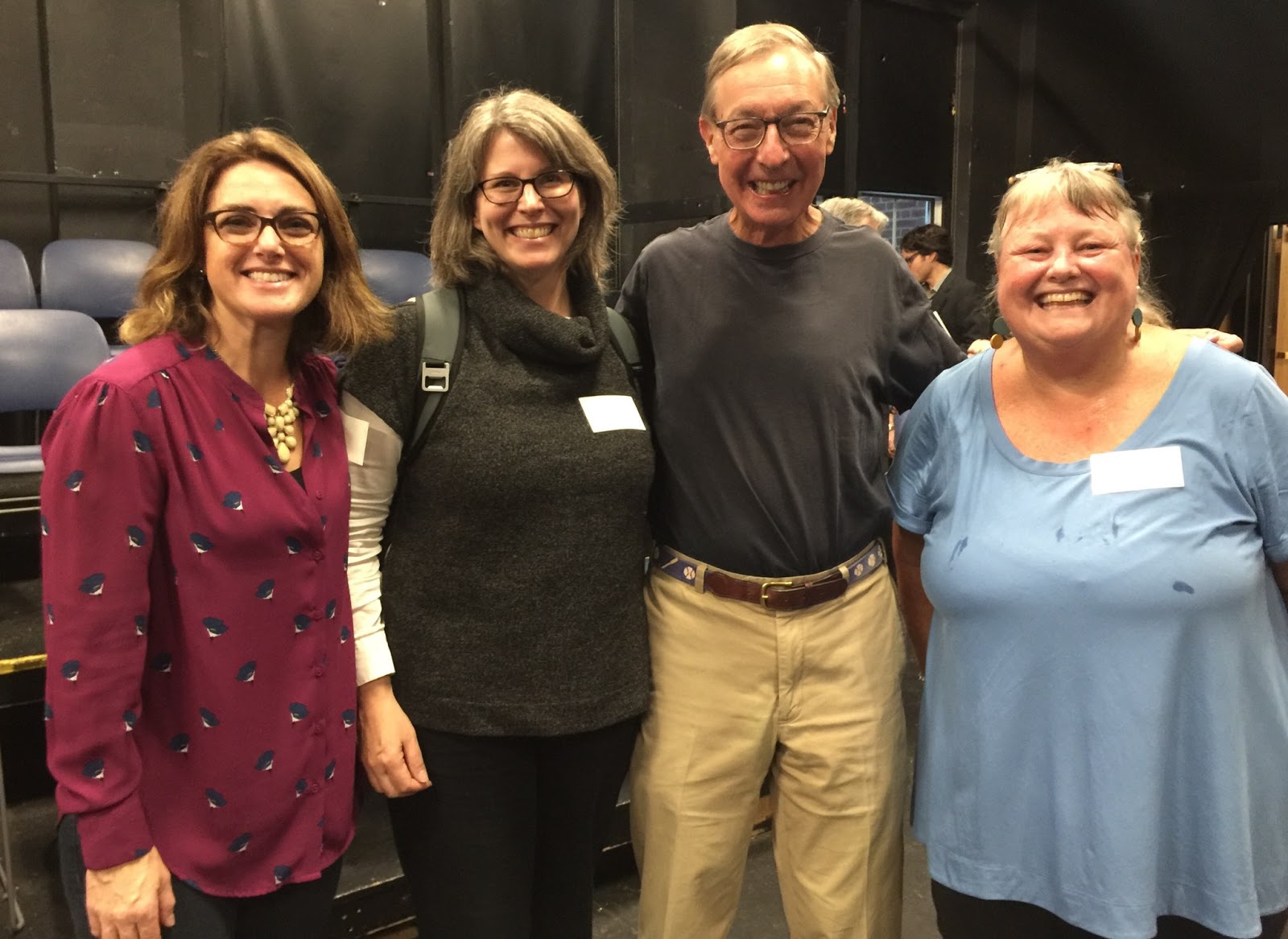
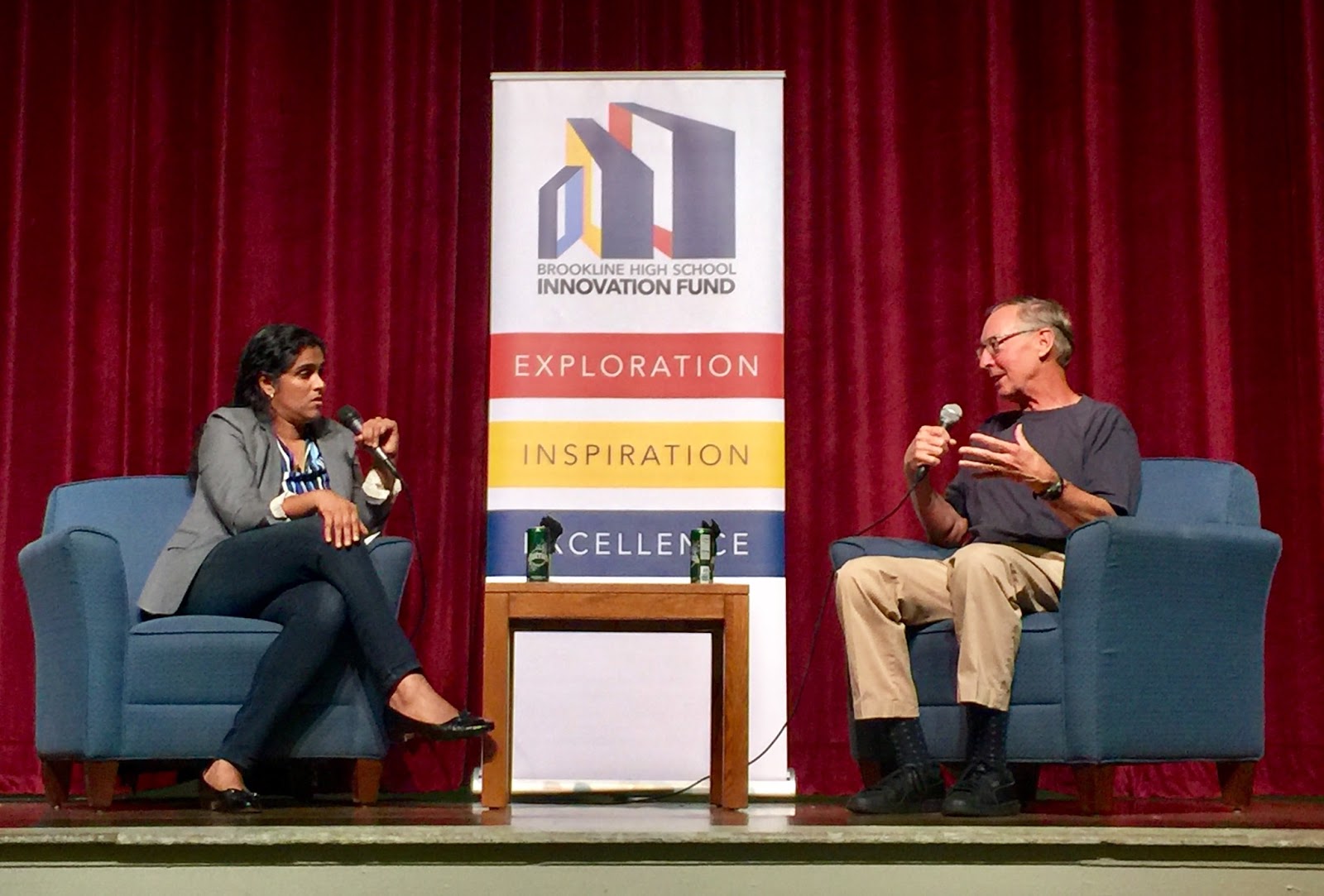
 What School Could Be: A Conversation About the Intersection of Innovation & Education #BHSWhatSchoolCouldBe
Ted Dintersmith, author of What School Could Be: Insights and Inspiration from Teachers Across America, leads a conversation moderated by Meghna Chakrabarti on how teachers can change the education system in creative, compelling and practical ways to positively impact students and better prepare them for the innovation economy. This conversation was sponsored by the Brookline High School InnovationFund.
We had the good fortune to have about a 20 minute conversation with Ted and came away with some ideas about our school and leadership in the community. One of the big takeaways for me was the question of how to we help students fit with the curriculum rather than making the curriculum fit the students. With our initiative around exploring where Project Based Learning fits, this question will help guide some of our work.
Tuesday, November 07, 2017
Digital Bingo For Technology PD
A quick and easy activity to do with teachers for PD time. It's low stakes and a lot of fun!


1) Set up the Bingo Board
2) Set up how responses will be collected
3) Make sure all the sharing permissions are set ahead of time
4) Make teams
5) Intro the activity - get a row in any direction OR cover the whole board for a grand prize!
6) Set the timer for 30 minutes
7) Have fun!
Monday, October 16, 2017
Wednesday, October 11, 2017

Tuesday, October 10, 2017
Differentiating Staff Development
On Friday, October 6 many districts in the State has a designated day for Professional Development. For our school, Feedback had been collected after the August inservice days to create a meaningful day for teachers.
1) We had time to collaborate and plan with other teachers with an end goal in mind.
A continuation of the technology sessions in August. We recognize that teachers need time to "play" with the new tools if they are going to incorporate them into practice.
I polled teachers ahead of time to find out if they wanted support or just wanted to work. We all met in the cafeteria. I had signs for each of the tools. teachers could sit at a table and work together with other teachers on the same programs. Some teachers were also guides. I wanted to honor their time for learning as well, so they could go to any table, but were willing to be asked a question if needed. I was able to get around to all the tables for help where needed. The atmosphere was very positive. Thank you to all the guides!


1) We had time to collaborate and plan with other teachers with an end goal in mind.
We would like to extend an invitation for you to design your own workshop session, tailored to meet your needs. Relative to our school wide focus on Innovation in Teaching and Learning, this is an opportunity to meet with colleagues to collaborate on an idea or investigate something new on your own. Spend time on common courses, curriculum, or your professional goal. The only requirement is that the work needs to have a positive impact on teaching and learning.
During Wednesday’s LA time you will be asked to fill out a simple form to describe how you will use the 90 minutes of flex time on Friday. After the flex session is concluded, we will also ask you to reflect on the work and identify possible next steps.2) We got together in groups to read a choice of articles (below) and have a discussion using a protocol. (articles had been collected ahead of time from teachers).
- 20-minute podcast on redesigning the classroom (co-teaching, interdisciplinary approach, student voice/choice)
- Discipline with Dignity
- It Takes a Suburb: A Town Struggles to Ease Student Stress
- NPR Conversation: Politics in the Classroom (audio or transcript available)
- Talking About Race In Mostly White Schools
- Why Students Forget and What You Can Do About It
- NY Times Magazine: Education By The Numbers
A continuation of the technology sessions in August. We recognize that teachers need time to "play" with the new tools if they are going to incorporate them into practice.
I polled teachers ahead of time to find out if they wanted support or just wanted to work. We all met in the cafeteria. I had signs for each of the tools. teachers could sit at a table and work together with other teachers on the same programs. Some teachers were also guides. I wanted to honor their time for learning as well, so they could go to any table, but were willing to be asked a question if needed. I was able to get around to all the tables for help where needed. The atmosphere was very positive. Thank you to all the guides!


Monday, September 04, 2017
August PD: Part 2
Our focus question for this year is HOW MIGHT WE? We even got temporary tattoos and stickers to help us keep this question in the forefront of our work during in-service days.


Day 2 the question was: How might we use our collective strengths to improve teaching and learning?
Teachers often ask for time to learn new tools that have come out during the year. The team organizing professional development came up with 9 tools they thought teachers would want to know more about. Some, such as Classroom, has been in practice in some classrooms and others, such as FlipGrid were new. We also wanted to show teachers the idea of student choice.
With our goal of using our collective strengths, I came up with a choice grid, based on a Hyperdocs template.
 There are 9 tools to choose from. Each square goes to an individual doc where a description of the tool, the room to meet in, some links, and the ability to take notes was available. Using the Edcamp model, I encouraged teachers to switch sessions if something wasn't working and to take notes so that other teachers could benefit if they missed a session. In the center of the choice grid is a link to share #onenewthing they learned or wanted to share.
Casey Bell came out with a very timely article which fit perfectly as a take away for the activity: How to Push the Boundaries of School with Dynamic Learning. This activity was well received but we could have used about a half hour more for time. We will use it again later in the year.


Day 2 the question was: How might we use our collective strengths to improve teaching and learning?
Teachers often ask for time to learn new tools that have come out during the year. The team organizing professional development came up with 9 tools they thought teachers would want to know more about. Some, such as Classroom, has been in practice in some classrooms and others, such as FlipGrid were new. We also wanted to show teachers the idea of student choice.
With our goal of using our collective strengths, I came up with a choice grid, based on a Hyperdocs template.
Casey Bell came out with a very timely article which fit perfectly as a take away for the activity: How to Push the Boundaries of School with Dynamic Learning. This activity was well received but we could have used about a half hour more for time. We will use it again later in the year.
Sunday, September 03, 2017
August PD: Part 1
All teachers and students in the high school are getting new computers this fall. It's hard to believe, but this is starting our 12th year of being 1:1. I am always asked to kick off the in-service days with an update on what's new. Frankly, there are not a lot of updates anymore. I prefer to concentrate on how we're learning using the machines to help us.
Over the summer I read Dan Ryder and Amy Burvall's book Intention: Critical Creativity in the Classroom. There are so many great ideas in it. They encourage remixing their activities. I also saw Lisa Thumann present #onenewthing at the EdTechTeam Custom Summit in Pulaski, Arkansas.
Something that we have done in the past is to share a new idea using technology at faculty meetings. Either the principal or I would point out something we had seen in the classroom. The teacher would then do a quick overview. We called it "Geek of the Week" and it was modeled on the Seedlings podcast that I used to participate in. So I remixed "Geek of the Week" and a Lego activity and came up with #onenewthing.
- Find a partner. Decide who is one and who is two
- Grab a cup of Lego (half filled Solo cups with random pieces of Legos)
- Ground Rules:
- No talking
- You will have 4 minutes to build something which I will tell you about in a minute.
- While building, you may trade Lego pieces with your partner, but it must be a one to one trade.
- You will have 4 minutes to build a representation of something new that you learned this summer.
- After the 4 minutes is up, Turn and Talk.
- Partner 1 - try to guess what Partner 2 made. Partner 2 then shares what they learned.
- Partner 2 - try to guess what Partner 1 made. Partner 1 then shares what they learned.
- Who would like to share one of their creations?
- Now let's think about our classrooms. What is #onenewthing you would like to try this year? Share with your partner.
- If you would like to show your creation - leave it on the table in the back.
Instead of Geek of the Week, we are going to share #onenewthing at our faculty meetings. More to come!


Sunday, March 27, 2016
Google Expeditions comes to Yarmouth High School

Recently, Yarmouth High School was invited to take part in the Google Expeditions Pioneer Program. This program uses virtual reality to take students on tours of different kinds of places they may never be able to visit in real life. There are hundreds of curriculum based “tours”. The Expeditions Team will be coming to YHS on Thursday, April 7th for the entire day.
Coincidentally, our Teacher Technology time on Wednesday March 30 will be about using Google Cardboard and virtual reality. Teachers will have some time to try it out and see what it’s like.
The idea is for a teacher to pick an expedition and then create a mini lesson around it. Many expeditions fit with what we are doing right now in our curricula. Google brings all of the equipment. The list of expeditions is here. There are over 180 options, so be prepared to browse! Use Command-F to search for keywords to see what is available (try World War, Rome, Asia, Biome, etc.).
You can read more about Expeditions here. We are very excited to be able to bring this opportunity to our students. Stay tuned!
Tuesday, March 08, 2016
Thursday, January 21, 2016
Monday, November 02, 2015
Digital Discussion
Cross posted at the Yarmouth Student Showcase
All 9th graders participate in 4 sessions about Digital Citizenship before the first quarter ends. We want to help students understand how the core values fit into their online lives. We also want to expose students to appropriate online practices and help them make good choices about their digital lives.
All 9th graders participate in 4 sessions about Digital Citizenship before the first quarter ends. We want to help students understand how the core values fit into their online lives. We also want to expose students to appropriate online practices and help them make good choices about their digital lives.
Digital Discussion Website
- Kick off: Digital Compass Activity - Students view a scenario about a dilemma. They choose the answer that they think fits.
- Session 1: Digital Footprint - All students participate in this session in small groups of 10. They watch 2 videos, do a reading and then have a discussion. This is followed by a time for reflection.
- Session 2: Choice between Multitasking, Privacy, and Digital Overload. They follow the same format as Session 1
- Session 3: Choice between Multitasking, Privacy, Digital Overload, Digital Activism, and Be a Creator. They follow the same format as Session 1
- Session 4: Students create a product based on one of the sessions they attended. Here's an example of a project.
Thursday, September 18, 2014
I would love your help! Digital Citizenship 2014-15
 |
| http://www.flickr.com/photos/23046603@N00/6106135421/ |
Every fall, the info technology team (the library media specialist and myself) organize 3 digital discussion times for all ninth graders. The students choose a topic and are put in to small groups. They watch a video, do a reading and then come up with some questions for discussion. They spend the bulk of the class period having the discussion about their topic. We host everything on a site.
This year we have seen a rise in negative behavior around social apps, like Yik Yak which allow for anonymous posting. The content tends to be explicit, and while the use of names is not allowed, students can be targeted by initials or other identifying information. Our "Be The Change Team" has addressed some of the behavior by posting positive messages on Yik Yak, but we are looking for more resources to promote discussion around these difficult topics.
We are using the book Make Just One Change: Teach Students to Ask Their Own Questions as a guide for some of our work. I am looking for more resources either around discussion groups on tough topics or good digital citizenship resources. Previous links that I have collected are here,. If you have something to share, please add to the comments. Stay tuned as we will be updating the site in the next 2 weeks.
Thank you!
Monday, June 23, 2014
Tadpoles Not Sharks

This year modeled a couple of things, which you can see in the description of day 1. We practiced doing a pre-assignment in Google Drive, introduced SAMR, and demoed an EdCafe based on the reading and writing each participant did to prepare for class. New this year, we added Tadpole Tank. This activity is modeled on the TV show Shark Tank (however Sharks are a bit intimidating, hence the name Tadpole Tank). After the EdCafe, we gave teachers an hour to put together a Pitch for what their final project will be. They created their own Google doc from this template. Because we had so many participants, we broke into two groups. Each group had a panel made up of 2 teachers and 2 students. Jim Moulton from Apple Maine joined us as a panelist, as well as some of our Lead Learners. Students took turns being on the panel. Everyone else was the audience. All audience members had access to the presenter's Google Doc. Each teacher made their project pitch to the panel. Audience members could type their feedback into the doc. After the pitch, the panel of 4 gave specific feedback and ideas. Audience members could also speak after the panel if they wanted. I might change this in the future.

I have to say, this was one of the best activities we have done with teachers in awhile. The student feedback was particularly helpful and appropriate. It was fast paced and fun. I definitely changed the focus of the final project in a really positive way, and it helped set the work up for tomorrow. Students are in high demand because they gave specific feedback on a topic. Many teachers commented that their project has changed and that they are excited about the suggestions they got. Part of their assignment tonight is to rewrite their project proposal.
I am excited about tomorrow... It's Edcamp (with student and teacher presenters) and then work time!
Friday, April 18, 2014
Student Unconference
On Thursday, April 17, the Student Senate at Yarmouth High School sponsored an UnConference.
The idea came from thinking about wanting to do TED Talks, but not wanting to limit audience size. They wanted the entire high school to be able to participate. And it had to be completely student run.
Guidelines:
The idea came from thinking about wanting to do TED Talks, but not wanting to limit audience size. They wanted the entire high school to be able to participate. And it had to be completely student run.
Guidelines:
- Students would sign up for sessions (since this was the first time they tried it, they thought it might be helpful to get an idea of what students were interested in)
- Each advisory group had to have a minimum of one pitch for a session.
- The person or persons who pitched the session are the facilitators.
- The facilitator comes up with 2 guiding questions and one other source for the discussion and submits them ahead of time.
- A teacher should be present in the room that the session was taking place.
- Teachers can participate in the discussion if they want to.
- Every student has to participate, even if they have open campus.
- At the beginning of the UnConference period, all students go to advisor period. Advisors hand out the schedules (students do not know what session they are in until they get there).
Here are the sessions that were proposed. Because there were so many good ones, the Senate decided to run 2 sessions. It was probably a lot more work, but they were happy they did it.
Wednesday, December 11, 2013
Hour of Code
Resources for Yarmouth HS #HourofCode
All students in the high school participated in the Hour of Code activities during math class for 2 days. Each student was asked to choose the level (novice, apprentice, ninja) he/she felt most comfortable with. The students then went to the classroom of the level they selected. Each room had a facilitator (a teacher, student, or community member volunteer) to answer questions. Students could choose which tutorials or activities to do. All activities were self directed.
Feedback:
What did you like about the activities?
- That we got to choose what we used and what we could do with it
- That you had a lot of independence as you progressed through the levels
- I liked the videos of the different people talking about the importance of coding.
- The activities were simple games that were easy to understand and even fun!
- I like the fact that Code Academy allows the user to learn from many different languages that all effect student in everyday life
- I really liked how it didn't feel like you were learning or working on the games, it felt like you were actually playing a game.
- You feel accomplished when you finish a level
- I liked that they were a challenge and and involved math, but were also fun to play.
- In Blockly, I loved how they made it fun, but still had to do with coding, especially since this was my very first time ever doing it, they made it not boring, very interesting!
My Observations
- Students were very engaged with the activities. They really looked like they were having fun.
- I enjoyed watching the collaboration happening in some classrooms.
- I was interested that some students wanted to be "taught" by an instructor.
- The student facilitators were well prepared.
- Our community visitors added a nice element. Students who are interested in computer programming as a career were able to speak with them directly. They made terrific coaches!
- At first we had more novices, by the afternoon, many students felt that they could be at the apprentice level.
Friday, December 06, 2013
Digital Discussions

Oro, Ann. 2009 electronics.jpg.
February 16, 2009. Pics4Learning. 6 Dec 2013
<http://pics.tech4learning.com>
Resources: Digital Discussions
Feedback and Comments:
- "I would like to know more about some of the stories of digital media. I feel like stories of mistakes would have a big impact on kids and really make them think about what they are doing.”
- “I want to know more about why people think that life on the internet is more important than your life outside the internet, and why people feel alone and like a loser when they don’t have some kind of technology with them.”
- “Something I agree with is that reality is less interesting than things shown on the internet. Because people in other countries seem to have a much more interesting life than people living in Maine basically because other countries and states are much more interesting.”
- “I want to learn more about the theory that chatting online is just an excuse to avoid "real" social interaction. It intrigues me because it seems as if teenagers feel like they need to be constantly socially connected through electronics and I wonder if this is connected. As if its a way to be popular without having to actually interact with people.”
- “I would like to know more about why there is so much social media that have some of the same stuff repeated over and over on each site or app. Also why people feel the need that they have to have all of those apps or sites to "fit in" with what everyone else is doing.”
- “I thought it was a good, fun discussion. I hope we do more things like this around the year. I think it'd be interesting to join other groups of the same topic and see what their arguments were and where they were coming from.”
- “This was a very interesting topic, and idea. I learned that my teacher is connected it to people all around the world. This was interesting to learn about from a worldly perspective.”
- “I would like to know more about the privacy settings on websites and how they are ensured. I would also like to experience more discussions on my digital footprint and my image on the Internet.”
Monday, October 14, 2013
Do Sweat the Small Stuff
Below is a list of some of the things we have done at our school:
- It’s an expectation that students come to school with their device fully charged. We have a few extra power cords, but students may not check them out. Their options are
- 1) leave their device to charge,
- 2) stay in the computer lab with the charger to work, or
- 3) not use their device for the period.
- Devices are not allowed in the cafeteria during lunch. They get stepped on! Instead, we ask students to store laptops in the library and computer lab. But there’s an added bonus. Because they have to walk by my desk, students often let me know if they are having a problem with their computer or have a minor repair that needs to be made. We find that we have much less overall damage.
- Students need to leave their devices in their gym locker while at extra curricular activities. We alert coaches and advisers at the beginning of each quarter. The ski team came up with a great way to keep their devices. They have a large rubber tub. Students put their devices in it during practice. Parent volunteers take turns keeping the bin secure.
- Decorate cases. Students are all about personalizing. We all have the same cases with a label on them with the student’s name and their advisor. However, they often get mixed up. Putting a ribbon, key chain or a piece of duct tape on the handle or side, help make the case stand out in a crowd. Some advisors have case makeover parties!
- Three strikes: If a students leaves their laptop unattended or isn’t following a guideline, they sign “The Book”. Every student has a page. They write:
- date (we start over every year)
- what happened
- what the outcome was
- what they will do differently next time
The first time they sign, it is a warning, second time is an after school detention, third time is a loss of take home privilege or other appropriate consequence. This works really well because the students fill it out.
- Collect the devices at breaks. It’s expected that students and teachers are on vacation. In advisor group, the advisor checks each computer and marks down on a spreadsheet from the tech department, anything that might need to be repaired. They also list if a student is having a problem. At the end of the day, we take the last 10 minutes of the period right before vacation to send students to their advisor group. The advisor checks the computers in and brings them to the computer lab. The advisor calls home if a student has not turned theirs in. This allows the tech staff to check them over and make a plan to pull in any computers that need to be repaired after break.
- At the beginning of the year, students present the “roll out”. This outlines anything new and goes over our guidelines. Often there are some humorous reminders to go with it. After the presentation, advisors then go over the technology guidelines with their students. A smaller trusting group allows for students to ask questions in a safe environment.
It takes time and patience but the small details are often what makes the program successful. It’s been said “it takes a village….” I believe it takes a school!
Cross Posted at Microsoft Partners for Learning Hot Topics Blog
Monday, September 02, 2013
1:1 and School Culture
Our high school is starting the tenth year of having a laptop for every student and teacher. Maine has been fortunate, in 2002, Governor Angus King proposed a visionary project; a digital learning initiative - all students in Grade 7 have a laptop to use in school and at home. In 2004, our district chose to continue the plan into high school. When we rolled out , we didn’t have any models to refer to, but we knew this project had to be about good teaching and learning. Our journey has been an exciting one.
The most important change has been in our school culture. It is an expectation that the device will be used for many aspects of learning, but not all. Technology is used is purposeful ways and when it is appropriate. Teachers and students are learners exploring the connection between best practices and digital learning. Sometimes, it is difficult to tell where the teacher is in the classroom. Professional development is held often, in small collaborative groups, and based on learning new classroom practices that use technology.
Students set the tone for each year for positive laptop use by helping the technology team in the summer, presenting the information at the grade level roll outs, and being involved in the creation of the rules and guidelines. Students are empowered and often describe their learning as continuous between home and school. We trust our students to do the right thing with their devices. Many use online chat for “study groups” and some teachers have online “office hours”. Students have much more ownership over their work, often because they are given choices about how to demonstrate their learning. Student work is usually public and designed to be shown to an audience. We have visitors come to see our “technology program”. It is entirely student run, they give tours and answer the many questions about learning with technology. We do not script the day so that the guests can see how much technology is intermingled with classroom activities. Visitors leave having a much better understanding of our school culture.
Cross Posted at Microsoft Partners for Learning: Hot Topics
Subscribe to:
Posts (Atom)